Digital signage for your cinema
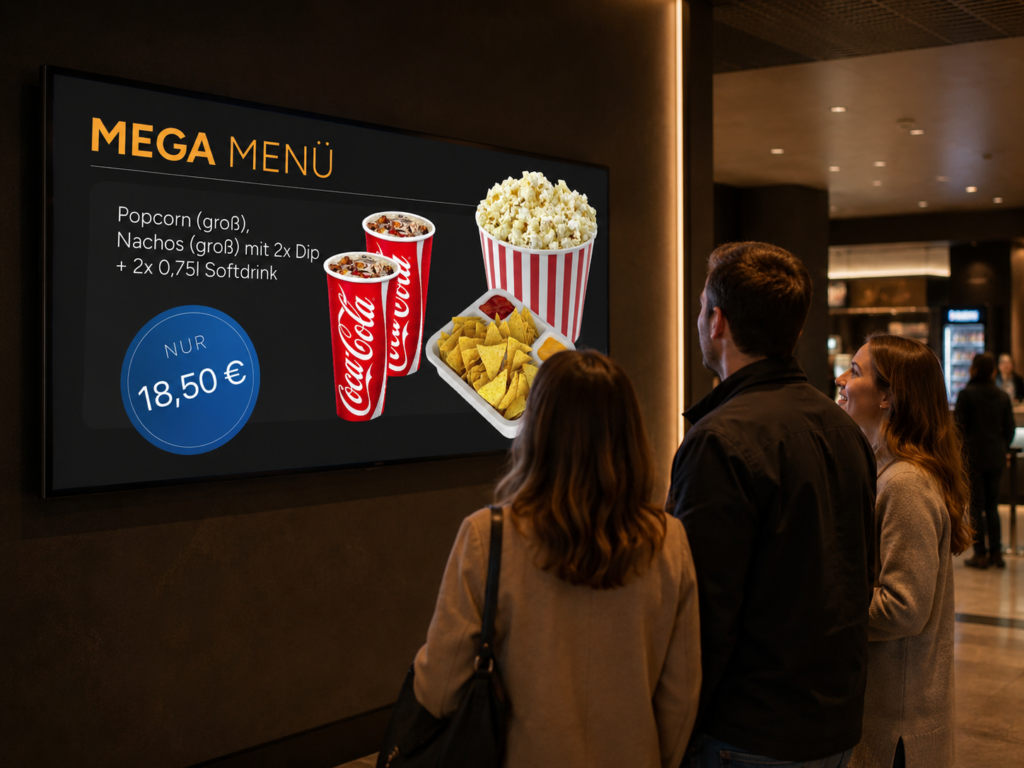
Showtimes run. The display keeps up.
With digital signage in your cinema, you show your guests current showtimes in the foyer, at the box office or outside the auditorium, alongside your promotions, trailers and concessions offers. Everything comes straight from your CineOrder system and runs in a single playlist, across one or multiple sites.
If a screening changes, the display updates automatically, and your team does not have to update a screen by hand.
Cinema digital signage right where your guests make their decisions
Your screens cover the places in your cinema where things happen: the first glance on the way in, the wait at the box office, the way to the auditorium. For a single site or for several sites together.
Foyer screen
Box office and auditorium area
Site group
Cinema digital signage: a film changes and the screen updates automatically
A new film joins the programme, a screening is cancelled, or a showtime changes. Maintaining printed notices and screens separately means updating multiple places at once, and it is easy to miss something.
Our signage pulls showtimes directly from your system. When a screening changes, the screen follows, with no extra effort from your team.
A cinema without digital signage
- Updating showtime changes across multiple places
- Managing posters, screens and system separately
- Changes may appear too late in the foyer
A cinema with digital signage
- Showtimes come directly from your system
- Display updates automatically
- Your team does not need to manually update the display
Cinema digital signage: showtimes, content and sites in one workflow
You define which auditoriums are displayed, what custom content to add, and which sites should run the display. Signage then plays the content in the order you selected.
Always up-to-date showtimes
A signage display automatically shows upcoming screenings for your selected auditoriums. You define how long before and after start time a show counts as “up next”. After that, the screen automatically moves on to the next screening.
- Automatic display of upcoming screenings per auditorium
- Choice of compact or detailed view
- Fully adjustable time window before and after screening start
- No manual updates needed from your team
View
Time window
Showtimes and in-house promos combined
Alongside showtimes, you can embed your own images or videos for promotions, trailers or concessions offers. Upload content directly into CineOrder or integrate a YouTube video. You choose the display duration for each piece of content and set the sequence yourself.
- Upload images or videos directly into CineOrder
- Alternatively: Embed via YouTube video
- Combine showtime displays and custom content in one playlist
- Choose custom display durations for each item
- Videos play automatically until the end before moving to the next item
- Set the content sequence yourself
Display "Autumn Programme"
Cinema digital signage for one cinema, multiple displays or an entire chain
A signage display can be created for an individual cinema or for a group of sites. If you operate multiple cinemas, you maintain content once and play it out across all assigned locations.
You can set up multiple named displays per cinema, for instance for different areas in the foyer, at the box office or outside the auditorium.
- Create displays for individual cinemas or site groups
- Maintain content centrally or on a location-by-location basis
- Multiple named displays possible per cinema
- Target specific areas throughout the cinema
Would you like to see digital signage in your cinema?
Let’s talk. Every cinema is different, and together we will find the right solution.

What value does digital signage from compeso deliver for your cinema?
Part of your system
One screen, multiple content types
Cinema digital signage, managed centrally or by site
Continuous development driven by cinemas and innovation
From the demo to your first screen
Initial consultation
Hands-on experience in the test environment
Configuration
Go-live & ongoing support
Questions about digital signage in your cinema
Digital signage shows your guests information right where they make decisions: in the foyer, at the box office and outside the auditorium. Showtimes and your own content run together in one playlist.
Yes. If a film or showtime changes, the display updates automatically. This ensures your current showtimes remain accurately displayed on all screens.
Yes. Showtimes and custom promotional content can run on the same screen. This allows you to use a single display for multiple content types instead of maintaining separate screens.
Yes. A display can be created for an individual cinema or for a group of sites. You maintain content centrally or site by site.
We start with an initial conversation and look at your screens together: where are they, and what should they show? Your team then tries out the display in the test system. We set up the showtime display, your own content and the site assignments together, and we stay with you until your displays are running.
Showtimes with the upcoming screenings for the auditoriums you select, plus your own images and videos, for example for promotions, trailers or concessions offers. You upload images and videos to CineOrder, and you can also embed videos from YouTube.
Yes. You choose the display duration for each item and set the order yourself. Videos play to the end before the next item follows.