Email Automation
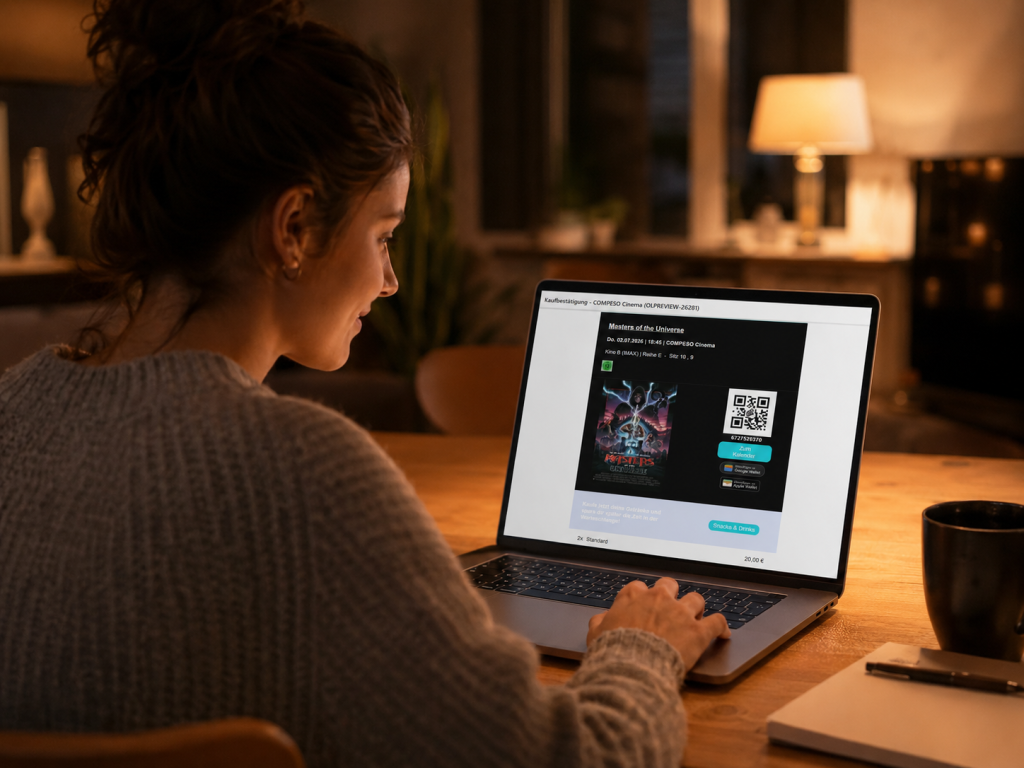
After the purchase comes the film.
After buying a ticket, most guests open their inbox to check the purchase confirmation. That is exactly the right moment to offer your guests concessions for their visit or to point them to other films or promotions.
Put the purchase confirmation and the reminder to good use.
Two emails, two opportunities: right after the purchase and shortly before the visit. Both can give your guests orientation and make relevant pointers visible.
Purchase confirmation email
In the purchase confirmation your guests see their performance and can save their ticket straight to their wallet or as a PDF. A banner reminds them to order snacks & drinks as well.
- Ticket and purchase details in one email
- Cross-selling banner for concessions
- Button to the matching web shop page
Reminder email before the performance
The reminder email is a prompt about the cinema visit and gives your guests travel information, the ticket or additional pointers to promotions or new films.
- A prompt about the film and the visit
- QR codes and relevant visit information
- A prominent concession pointer when nothing has been ordered yet
From the ticket purchase to admission.
Accompany your guests along the journey: buy, confirm, remind, prepare, arrive.
Buy a ticket
The guest completes the purchase in the web shop or the app.
Open the confirmation
Ticket and purchase details arrive in the purchase confirmation.
See the offer
A banner or button leads to concessions or a promotion.
Receive the reminder
Shortly before the film, the QR code and visit information arrive again.
Arrive prepared
The guest has the ticket, the information and add-on offers within reach.
Use the moment
The purchase confirmation and the reminder email sit close to the visit. That is exactly why they suit pointers that fit the evening at the cinema: a snack menu, a gift card motif, a promotion in the foyer or a film that could be relevant next.
- Link specifically to concessions, promotions or film pointers
- Match content to the offer, the timing and the target link
Analytics: see what gets used.
The links in banners and pointers can be evaluated. That shows you whether guests respond to concessions, promotions or film pointers.
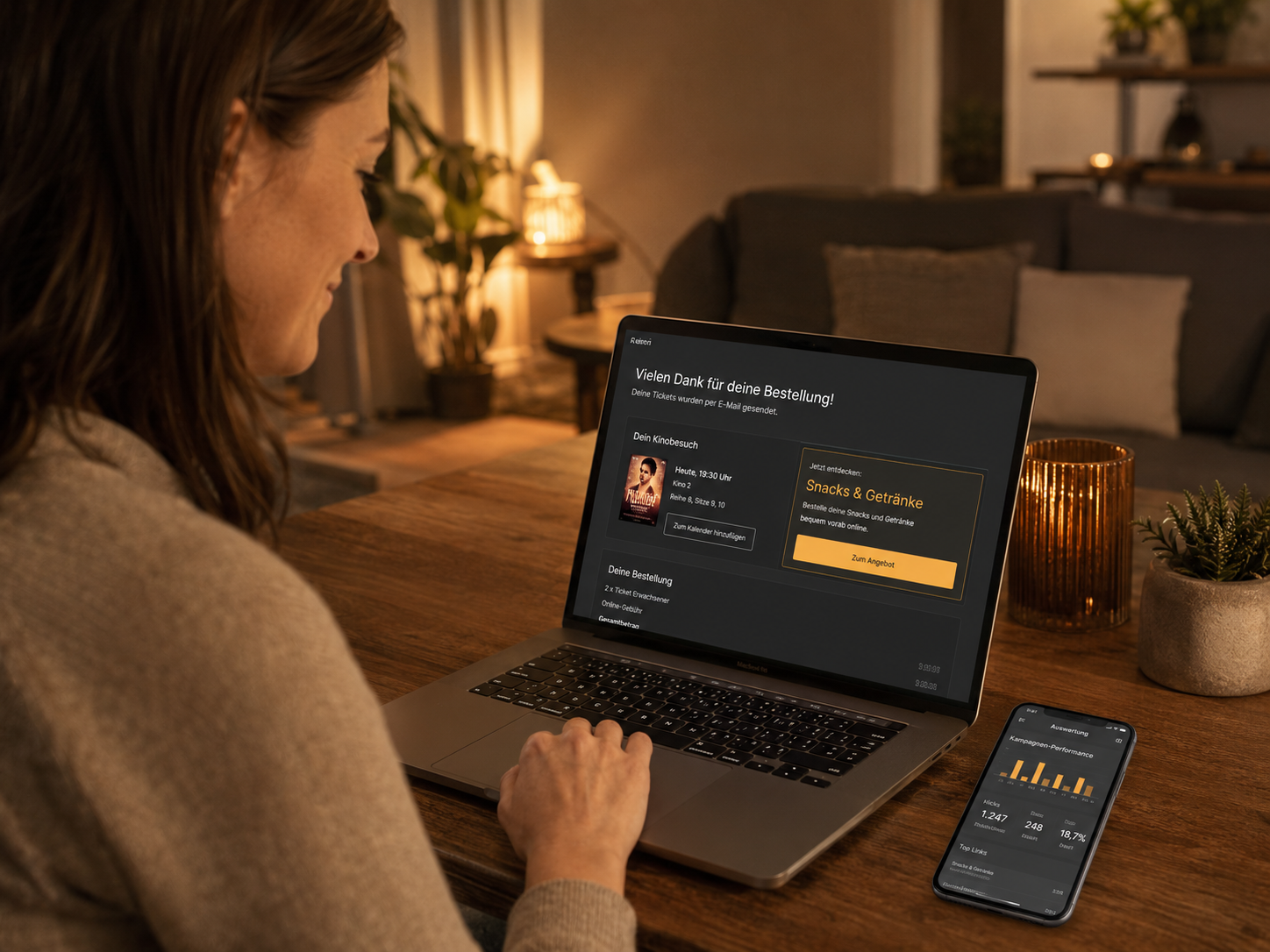
As controllable as the way your cinema communicates.
The relevant texts, banners and email types are not left as a loose idea, but prepared in the system. That keeps the email clear, recognisable and true to your venue.
Adjust the texts
The subject line, header, subheader, key notes and footer texts of the reminder email can all be prepared.
Add banners
Cross-selling and advertising banners work with an image, a description, a colour and a target link.
Activate email sending
Which emails are sent is configured per email type and setup.
Plan for opt-out
Reminder emails have a managed consent and an unsubscribe link in the footer.
Would you like to see how your emails could work in day-to-day cinema life?
Let’s talk – every cinema is different. Together we will find the right solution.

From the template to the promotion.
Clarify the options
We look at which purchase confirmations and reminder emails are relevant for your cinema.
Prepare the content
We review texts, banner areas, target links and the right language for your guests.
Map consent cleanly
For reminder emails, consent is planned together with opt-out and management.
Test and activate
Before going live, the presentation, the links and the email flow are checked.
Questions about email automation from Compeso
The focus is on purchase confirmation emails and reminder emails before the cinema visit. Further transaction-related email types can be reviewed depending on the setup.
Yes. The purchase confirmation template provides for a cross-selling banner with an image, a description, a text colour and a button. The button can lead to the concession list in the web shop.
The reminder email is a prompt about the cinema visit and can contain key information about the film, QR codes for entry and pointers to snacks and drinks.
Yes. A consent is managed for the reminder email. Guests can unsubscribe via the footer link or in their account under their consents.
Use your emails where guests are already looking.
Purchase confirmation, reminder and fitting banner areas:
Let’s look together at how email automation can be put to good use in your cinema.